Solutions for
Auto Dealerships
Smart Dynamic Integration Solution (SDIS) imports automobile DMS, ERP, SAP and Excel reports into TallyPrime for vehicle sales, service job cards, spare parts, warranty claims, GST and inventory entries.
DMS Integrations
Automobile Brands and DMS Formats We Support





























Complete Automobile Data Import Process
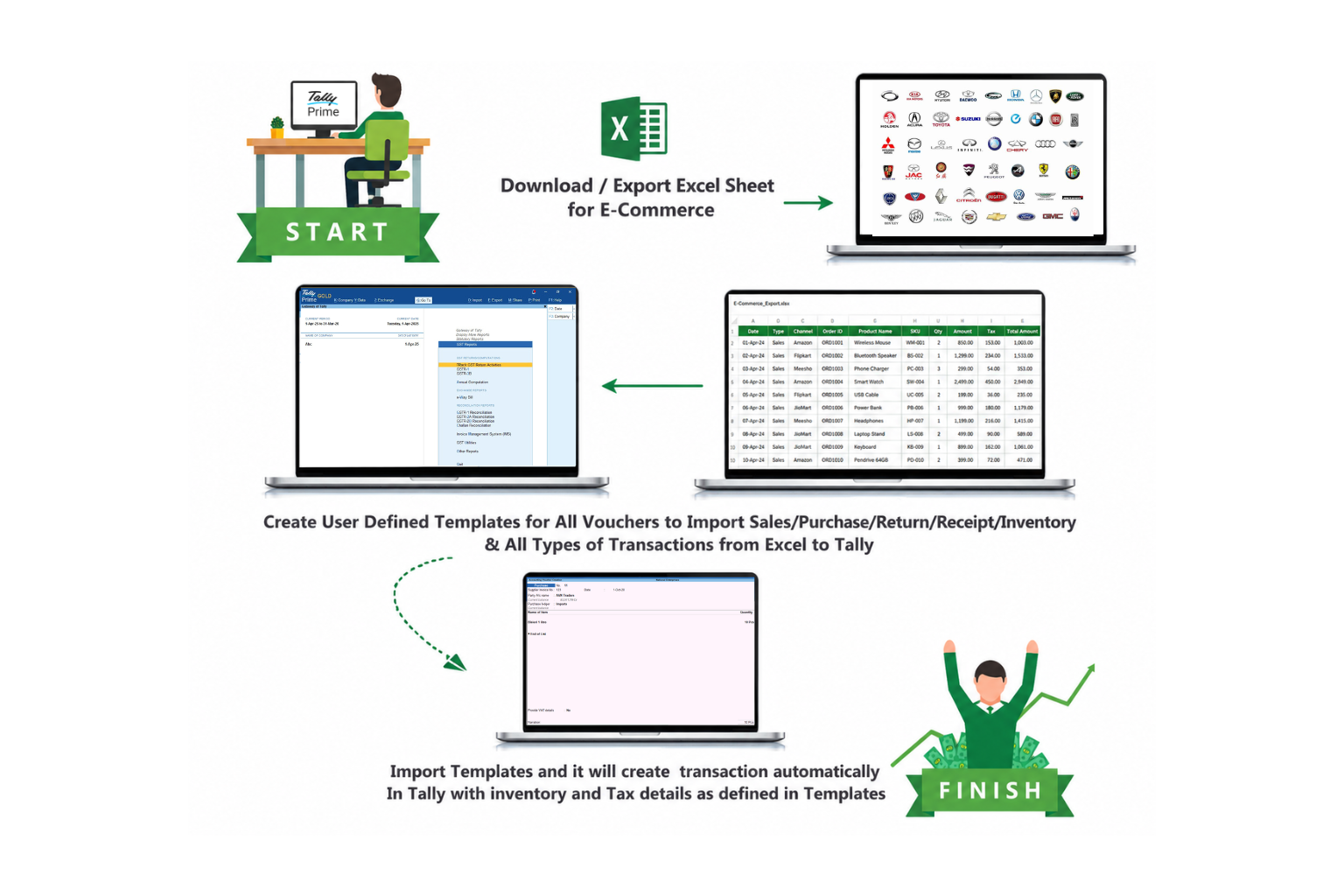
Export sales and service reports from automobile portals or DMS, map Excel columns with SDIS templates and post clean transactions into TallyPrime with inventory and tax details.
Export DMS Data
Download vehicle sale, job card, spare parts and service Excel reports.
Map Template
Map customer, vehicle, item, GST, ledger and voucher fields with SDIS.
Import To Tally
Create sales, service, purchase, warranty and inventory entries in TallyPrime.
Validate Accounts
Reduce manual work, mismatch errors and delayed accounting closures.
Automobile Support Inside SDIS
Bulk Entries
Import vehicle sales, purchase, service invoices, spare parts, warranty claims, credit notes, debit notes, journal, payment, receipt and contra vouchers. Supports inventory, cost category, cost centre, bill-wise details and multiple GST rates.
Compatible with Automobile DMS
Supports dealer DMS exports and custom Excel formats. Vehicle number, chassis number, engine number, job card, service advisor, technician, insurance and warranty fields can be mapped into vouchers.
Seamlessly Integrated with Tally
One-time setup for your automobile DMS, ERP, SAP or custom Excel format. Our service team configures mapping, trains users and helps the accounts team start importing from day one.
Inventory/Party Master Import
Import customer, supplier, insurer, warranty party, item master and spare parts inventory with HSN, GST rate, unit, group and opening details. Missing master support is available during import.
User Defined Template Creation
Pre-configured templates for automobile dealers and fully user-defined dynamic templates for any columnar Excel sheet. Templates can be modified when DMS report formats change.
Effort & Time Saving
No need to worry about mistakes and duplication in manual entry. Accurate reports in less time with effort-saving bulk import. Availability of required reporting for more productive work and planning for business growth.
How It Works
Seamless Integration from your Dealer System to Tally
START
Login to your DMS, ERP or SAP portal and download sales, service, spare parts or warranty reports.
EXPORT EXCEL
Export Excel or CSV data from your dealer system.
MAP TEMPLATE
Map DMS columns with Tally ledgers, items, GST, cost centers and voucher types.

FINISH
Import the mapped file and SDIS creates accurate Tally transactions with inventory and tax details.
See SDIS In Action
Watch the full integration workflow in this demo.